
Bugsink 2.6: Scoped API Tokens


Bugsink 2.6 is out. The main change is scoped API tokens: tokens can now be restricted to a user, a project, and a set of API operations.
Safer API tokens
Until 2.6, every Bugsink API token could do everything: read any event, triage or delete issues, create projects, and upload debug files for any project.
I added tokens when the API was still small. Only superusers could create them, and I chose not to build a permission model at that point. The API now covers issue triage and deletion, release creation, event access, and debug-file uploads. A CI job that uploads sourcemaps does not need all of that. Tokens now have these controls:
- Who: a personal token follows the current permissions of its user. A service token works independently of a user account and can only be created by a superuser.
- Where: a token can cover every accessible project or be tied to one project.
- What: 12 capabilities cover reading events, triaging issues, creating releases, uploading debug files, and the other API operations.
All users can create personal tokens. You no longer need a superuser to create an unnecessarily powerful credential on your behalf. A token used by frontend CI can be tied to the frontend project and get exactly one capability:
debug-files:upload
It cannot read the events whose stacktraces will later use those sourcemaps, and it cannot upload files for another project. Each API endpoint declares its required capability; the generated OpenAPI documentation includes that requirement too.
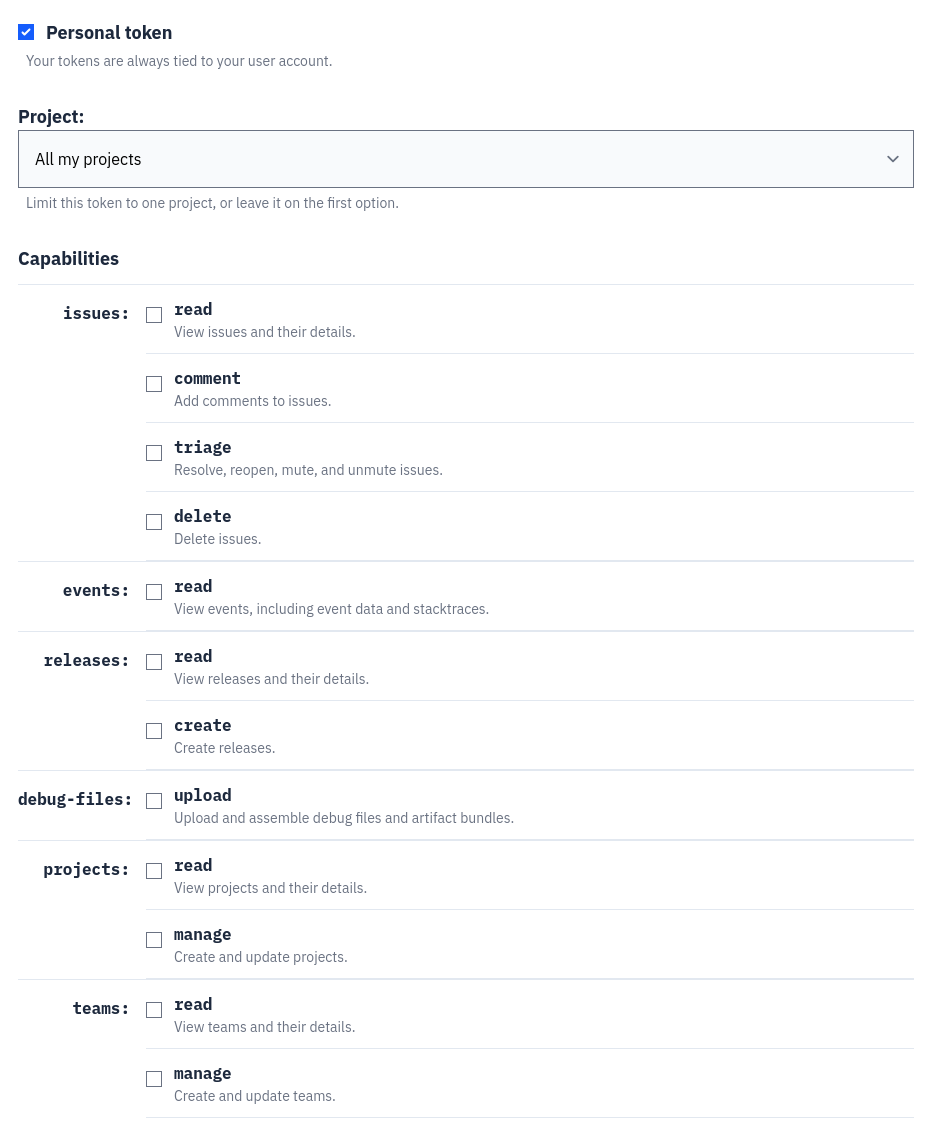
Existing tokens keep their full installation-wide access. Silently restricting credentials already used in scripts would be a particularly unhelpful security improvement. The token list now shows the type, scope, and capabilities of each token, so old broad tokens can be replaced and revoked deliberately. The API guide has the complete capability list and examples.
URLs are tags now
Bugsink search uses issue-title fields for plain text and tags for structured values. Request URLs were stored only in the event JSON, so neither kind of search could use them.
I had postponed adding a URL tag because URLs can have high cardinality. A path such as /customers/12345 can produce
nearly one new tag value per event, along with the corresponding issue/tag rows. In 2.6 I decided the search was worth
those rows. Newly ingested events now get a url tag derived from the request URL, which is available to issue and
event search:
url:"https://example.org/checkout"
Query strings and fragments are removed before the tag is stored, so these two URLs produce the same tag:
https://example.org/checkout?coupon=SAVE -> https://example.org/checkout https://example.org/checkout#payment -> https://example.org/checkout
This avoids creating separate tag values for what is usually the same page.
The search parser also had to learn that colons inside quoted terms are not separators. Otherwise a search value
starting with https:// cannot be parsed correctly. Escaped quotes inside quoted values now work too.
Google Chat alerts
Bugsink 2.6 adds Google Chat alerts. The integration uses incoming webhooks and can be configured per project.
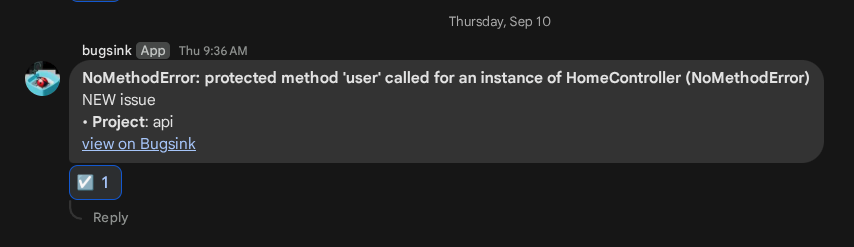
If you are looking for a drop-in Sentry alternative with Google Chat integration, Bugsink is now one. On Hosted Bugsink, the integration is available on the free plan. (Google Chat is not currently among Sentry’s built-in integrations.)
Contributed by Braulio Oliveira—thank you.
See the complete 2.6.0 changelog for the dependency updates and complete list of fixes.
Upgrading and getting started
There are no backwards-incompatible changes in this release. Upgrade as usual; existing API tokens
continue to work, and newly ingested events start getting the searchable url tag.
If you are not using Bugsink yet, you can start for free on Hosted Bugsink or install Bugsink on your own server. Applications that already use a Sentry SDK can normally keep the SDK and change its DSN.