
Bugsink vs. BugSomething

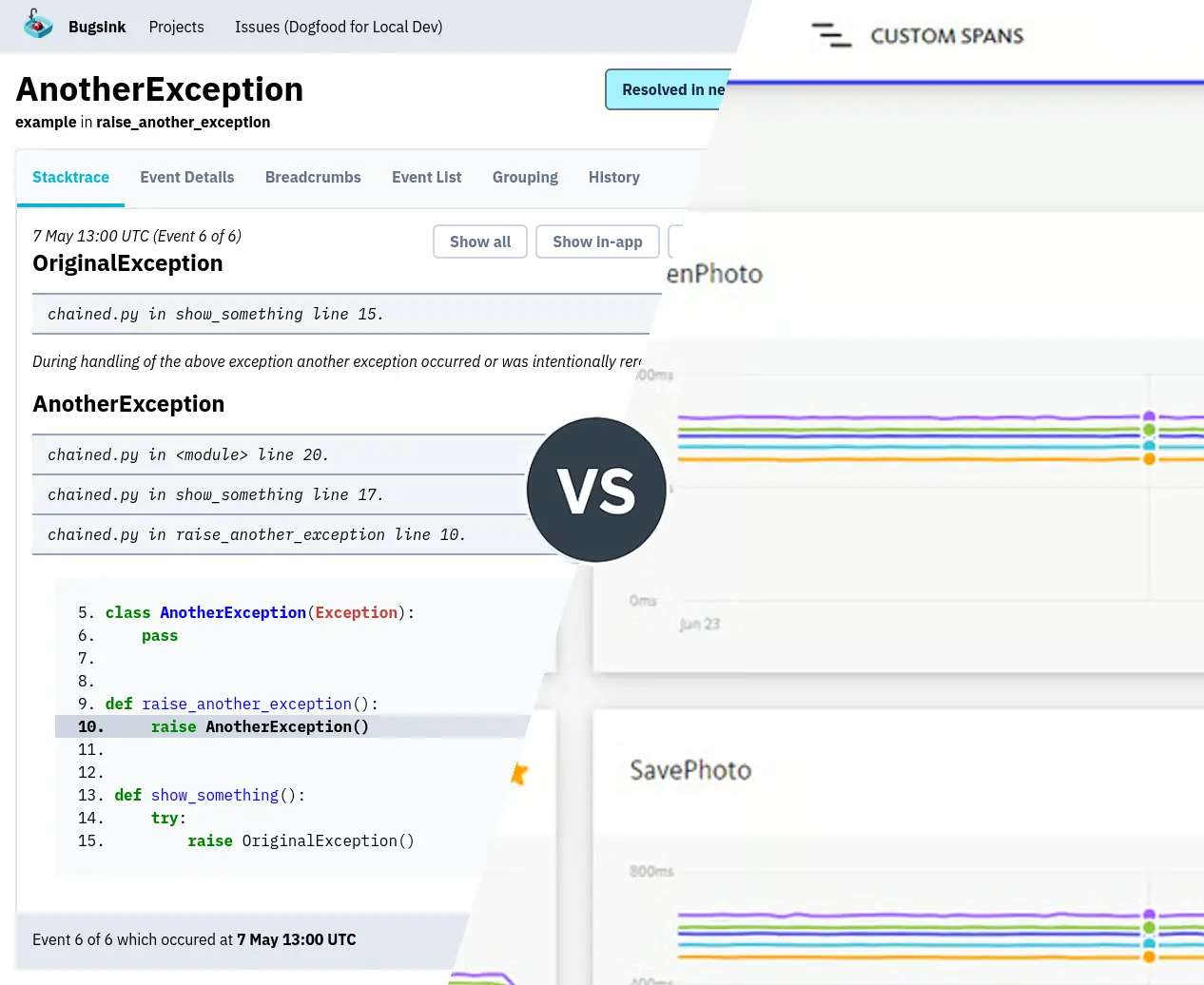
There are enough developer tools named BugSomething that comparing them often starts one step earlier than usual:
figuring out which one you were trying to remember.
Bugsink, BugSnag (often written “Bugsnag”), Bugsee, and BugSplat all deal with software failures, but they are not four implementations of the same product.
The quickest way to disambiguate them is this:
| Tool | Primarily | What makes it different | Deployment |
|---|---|---|---|
| Bugsink | Error tracking | Error-first, Sentry SDK compatible | Hosted in the EU or self-hosted |
| BugSnag | Error + performance monitoring | Errors, stability data, performance monitoring, tracing | SaaS or Enterprise on-prem |
| Bugsee | Mobile debugging + crash monitoring | Video, network, logs, touches and crashes on one timeline | Hosted service |
| BugSplat | Crash + error reporting | Native crash dumps, symbols, desktop and game-engine support | Hosted service |
That is the important distinction.
If you remember “the Sentry-compatible error tracker with hosted EU and self-hosted options”, you probably mean Bugsink.
If you remember “the one with performance monitoring and app stability tooling”, you probably mean BugSnag.
If you remember “the one that records what happened on the phone before it broke”, you probably mean Bugsee.
If you remember “the one that deals seriously with native crash dumps, C++, games, and symbol files”, you probably mean BugSplat.
Pricing and product details below were checked in August 2026.
Bugsink: exception-focused error tracking
Bugsink is an error tracker.
The central object is an exception. Bugsink collects the stacktrace, source context, local variables, request data, runtime information, tags and breadcrumbs needed to understand why that exception happened.
It deliberately does not try to become an APM system.
Bugsink does not ingest metrics or traces. The assumption is that an exception is already a very high-signal event: some assumption in the program failed, and the job of the error tracker is to preserve enough context around that failure to debug it.
That gives Bugsink a narrower scope than tools that combine errors with tracing, metrics and application performance monitoring.
Bugsink has two deployment models, and both are normal ways to use the product.
- Hosted Bugsink is managed by Bugsink, with application data hosted in the EU.
- Self-hosted Bugsink runs on infrastructure you control.
- The product is the same in both cases: the same SDKs and the same error-tracking workflow.
- You can move between them without re-instrumenting your applications.
Hosted comes with no Bugsink infrastructure to operate. The current public pricing starts with 15,000 events per month for free, followed by 75,000 events for $16/month, 600,000 for $50/month and 3 million for $158/month.
Higher published tiers go to 15 million events for $568/month and 50 million for $1,288/month.
The other important part of the architecture is the SDK boundary.
Bugsink accepts error events from Sentry’s open-source SDKs. That provides SDK coverage for common backend languages, browsers, mobile platforms and frameworks without introducing a Bugsink-specific client library.
If an application already reports errors to Sentry, moving the error stream can therefore be as small as changing the DSN.
For example, the application code still initializes a Sentry SDK:
import sentry_sdk sentry_sdk.init( dsn="https://key@your-bugsink.example/1", )
The receiving server is Bugsink.
Self-hosting is a deployment option rather than the definition of the product, but its architecture is worth mentioning. A single container is enough, SQLite is supported by default, and MySQL or PostgreSQL can be used instead. There is no required Redis or external message queue.
In one published Bugsink benchmark, a 2-vCPU, 4 GB server processed about 18 events/sec, equivalent to roughly 1.5 million events/day.
That number matters more than saying the software is “lightweight”. It tells you approximately what a small self-hosted installation can actually do.
BugSnag: error and performance monitoring
BugSnag also collects application errors and crashes, but its product scope extends further into application health and performance.
Its current product includes error monitoring, stability information, performance monitoring and distributed tracing. BugSnag says its error monitoring supports 50+ platforms across mobile, web, desktop and server applications.
For an individual error, BugSnag captures the expected debugging information:
- Stacktraces and symbolicated frames.
- Breadcrumbs leading up to the failure.
- Device and user information.
- Release and deployment information.
Alongside that, BugSnag has a separate performance-monitoring model based on spans. Its performance tooling covers things such as app starts, screen loads, web vitals, network requests and distributed traces.
That distinction matters when choosing between BugSnag and Bugsink.
With Bugsink, an exception is the product’s main unit of attention. With BugSnag, errors live inside a broader application-monitoring system that can also answer performance questions.
That is useful if you want both.
It is extra product surface if what you actually want is error tracking.
BugSnag also has an on-premises product, but this is not equivalent to downloading a normal application and running it beside your database. The current on-premises documentation uses Replicated KOTS on Kubernetes, with single-node and high-availability cluster configurations.
The old single-machine deployment is deprecated.
BugSnag’s current free tier includes 7,500 error events and 1 million performance spans per month, with one user. Paid Select and Preferred plans let customers choose event and span volumes, while Enterprise pricing is custom and is where the on-premises deployment option appears.
So if the BugSomething in your head involved app stability scores, performance spans or distributed traces, you are probably thinking of BugSnag.
Bugsee: mobile crash reporting with video
Bugsee is the easiest one here to distinguish once you know its main trick.
It records what happened before a mobile failure.
A Bugsee report can contain a synchronized timeline with:
- Video of what was on screen.
- Network requests and responses.
- Console and application logs.
- Touches, navigation and breadcrumbs.
- The crash or error itself, including the stacktrace.
Bugsee describes this as a flight-recorder model, which is a fairly accurate description of the architecture.
On Android, for example, the SDK keeps report data in a cyclical buffer on the device. When a crash, manual bug report or other configured event occurs, that context is assembled into a report and uploaded.
The video is not merely a sequence of breadcrumbs. Bugsee documents 10 FPS recording for its mobile session replay.
That comes with a real resource cost.
Bugsee’s Android documentation reports a memory footprint of 28 MB using its default V3 video mode, measured on a Google Pixel 5 running Android 12. Disabling video reduced the documented figure to 20 MB.
Those are much more useful numbers than saying “session replay has some overhead”.
Bugsee supports native iOS and Android as well as mobile-oriented frameworks including React Native, Flutter, Unity, Cordova, .NET/MAUI and Kotlin Multiplatform.
The pricing model is also unusual compared with event-based error trackers.
Its free Lite plan allows up to 5 unique devices per month with 3 days of retention. The Pro plan is currently $99/month when billed annually or $139 month-to-month, with up to 50 unique devices per month and 30 days of retention.
That device-based model makes sense once you understand what Bugsee is collecting. A report may contain considerably more than an exception payload.
If your memory of BugSomething is “I could literally watch the user tap the thing before the app exploded”, you mean Bugsee.
BugSplat: native crash reporting
BugSplat is a crash and error reporting system with particularly broad support for native, desktop and game-development environments.
It supports conventional application environments such as JavaScript, Node.js, Python and Java, but the interesting part of the product is the amount of native crash infrastructure it understands.
Its documented integrations include:
- Native Windows C++.
- Crashpad and Breakpad minidumps.
- Electron, including native Crashpad crashes.
- Unity and Unreal Engine.
- PlayStation and Xbox.
- Android NDK and iOS crash reporting.
That changes what “error report” means.
For a Python exception, a traceback is already structured enough to tell you quite a lot. A native crash may leave you with a minidump containing memory state and instruction addresses. Turning that into useful source-level information requires debug symbols and a symbolication pipeline.
BugSplat has explicit tooling for that workflow.
Its Crashpad integration accepts minidumps produced by Google’s Crashpad crash reporter. For Electron, BugSplat can process both native Crashpad crashes and JavaScript failures. For Unity, it supports managed exceptions as well as native crashes, including IL2CPP builds.
For Windows native crashes, BugSplat’s crash-detail processing can go beyond the crashing thread. Its documentation describes calculating non-active thread stacks, registers, loaded modules, function arguments and local variables.
This is a materially different job from recording a JavaScript exception with a browser SDK.
Current BugSplat pricing starts with a free plan containing 15,000 crashes/month, 100 GB of storage and 1-month retention. The Team plan is $37/month billed annually with 25,000 crashes/month and 3-month retention. The Business plan is $208/month billed annually with 50,000 crashes/month and 6-month retention.
If the BugSomething you were trying to remember involved .pdb files, minidumps, Crashpad, IL2CPP or Unreal’s
CrashReportClient, it was probably BugSplat.
Error tracking vs. crash reporting vs. replay
All four products can appear in a search for “bug reporting” or “crash reporting”, but those phrases hide quite different debugging workflows.
Bugsink starts with the exception.
The useful artifact is a deeply contextualized production error: stacktrace, code, local variables and the state around the failure. It stays focused on that job rather than adding metrics and traces.
BugSnag combines error monitoring with a broader view of application health.
The same product can tell you about crashes, affected users, release stability and performance spans. Its scope is therefore wider than dedicated error tracking.
Bugsee starts with the session leading up to the failure.
The important artifact is a timeline: video, input, network, logs and finally the crash or bug report. That is especially useful when “what did the user actually do?” is harder to reconstruct than the stacktrace itself.
BugSplat is particularly strong where a crash produces native diagnostic artifacts.
The useful artifact may start as a minidump and only become meaningful after resolving executable versions, symbols, threads and native stack frames.
These tools overlap, but the overlap happens at the word “bug” more than it happens in their architecture.
Choosing the right BugSomething tool
If the naming problem has now turned into an actual product-selection problem, the answer mostly depends on the kind of failure you need to investigate.
- Choose Bugsink if you primarily want error tracking, want to use the Sentry SDK ecosystem, and want either managed EU hosting or the option to run the same product yourself.
- Choose BugSnag if you want error monitoring together with performance monitoring, distributed tracing and release-stability tooling.
- Choose Bugsee if mobile session context is central and seeing video, network traffic and user actions before a failure is worth the additional SDK overhead.
- Choose BugSplat if native crash dumps, desktop applications, C++, game engines or symbol-management workflows are central to the problem.
There is no useful sense in which one of these four products wins every row.
If you need a video of an Android user reproducing an intermittent UI failure, Bugsink is not secretly a better Bugsee.
If you need to process native Unreal Engine crashes from Windows and consoles, pretending BugSplat’s crash-dump tooling doesn’t matter would make for a bad comparison.
Likewise, if what you actually want is an exception tracker, adopting traces, performance spans or continuous mobile video simply because another product happens to provide them is not automatically an improvement.
The useful question is what information you need when production code fails.
Which BugSomething tool did you mean?
For future reference:
- “BugSomething, the Sentry alternative?” Probably Bugsink.
- “BugSomething with performance monitoring?” Probably BugSnag.
- “BugSomething that records the phone screen?” Definitely Bugsee.
- “BugSomething with minidumps and game crashes?” Probably BugSplat.
I cannot promise that this will prevent another BugSomething from launching next week.
Bonus section: Bugsync
One more naming problem.
It is Bugsink, not Bugsync.
The name uses sink in the programming sense: a destination where data ends up. Your application emits error events, and Bugsink is the place those events are sent to, stored, grouped and inspected.
Think data sink, log sink, event sink.
“Sync” would suggest that Bugsink synchronizes bugs between two systems, which is not what it does. There is no bug synchronization protocol, and hopefully there are not two copies of every bug that need to be kept consistent.
So:
- Bugsink = somewhere your errors are sent.
- Bugsync = a plausible name for a different product that does not exist here.
If you were searching for “Bugsync Sentry alternative”, though, you were almost certainly looking for Bugsink.
Disclosure: this comparison is by Bugsink
You are reading this on the Bugsink website.
I build Bugsink.
So no, this comparison was not produced by a mysteriously neutral institute dedicated to distinguishing similarly named developer tools. I obviously think Bugsink has made good design choices.
I have tried to keep the distinctions above to concrete product behavior, architecture, documented limits and published pricing. The other three products also have cases where their design is the more appropriate one.
If you need synchronized mobile video, use a tool built to capture synchronized mobile video.
If you need native crash-dump processing, use a tool that takes native crash-dump processing seriously.
If you want performance tracing as part of the same product, choose a product that collects performance traces.
And if you came here trying to remember the name of that BugSomething error tracker that works with Sentry SDKs, is available hosted in the EU, and can also run on your own infrastructure:
You were probably thinking of Bugsink.