
GlitchTip vs. Sentry vs. Bugsink

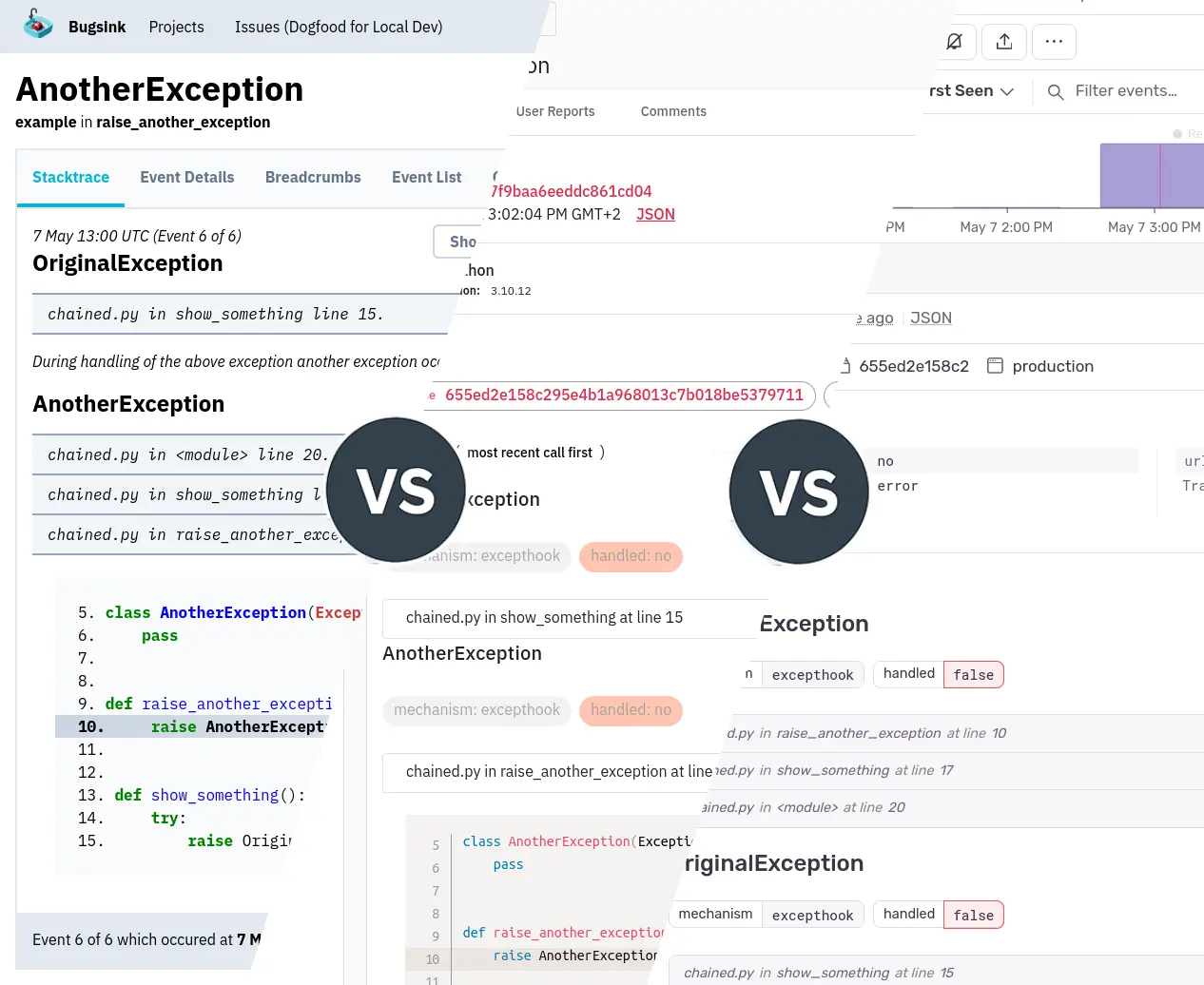
If you’re running software in production, you should probably have an Error Tracker in place. If you’re reading this, you’re likely trying to choose between Bugsink, GlitchTip, and Sentry.
All three accept events from Sentry SDKs. All three group repeated exceptions into issues. That makes them look rather similar from the application side: switching usually starts with changing the DSN. The products waiting at the other end of that DSN are quite different, though.
How the three got here
Bugsink grew out of my frustration with self-hosting Sentry in 2023. I wanted the useful part back: receive an exception, group it correctly, alert me, and put the stacktrace where I can actually read it. Bugsink was written from scratch around that job. Easy self-hosting was the first design constraint; the hosted service came later.
GlitchTip started in 2020 after Sentry replaced its open-source license with the BSL. Its answer was to preserve a Sentry-compatible tracker under the permissive MIT license. It has since added performance monitoring, uptime checks, logs, and an MCP interface, but open source remains central to what it is.
Sentry is the original. I used to recommend it without hesitation as an error tracker. Over the years it became an application-monitoring platform: traces, logs, replays, profiles, dashboards, uptime, cron monitoring, AI-assisted debugging, and, somewhere among all of that, errors.
Those additions are real capabilities, not decorative fluff. But they have changed the product. The excellent error tracker is still in there; it just no longer gets the whole screen to itself. A Sentry reviewer put the same point more bluntly: “The UI is pretty complicated and can be overwhelming for new users.”
Start with the error
This is where I think a comparison should begin. When production breaks, what do you see?
Bugsink
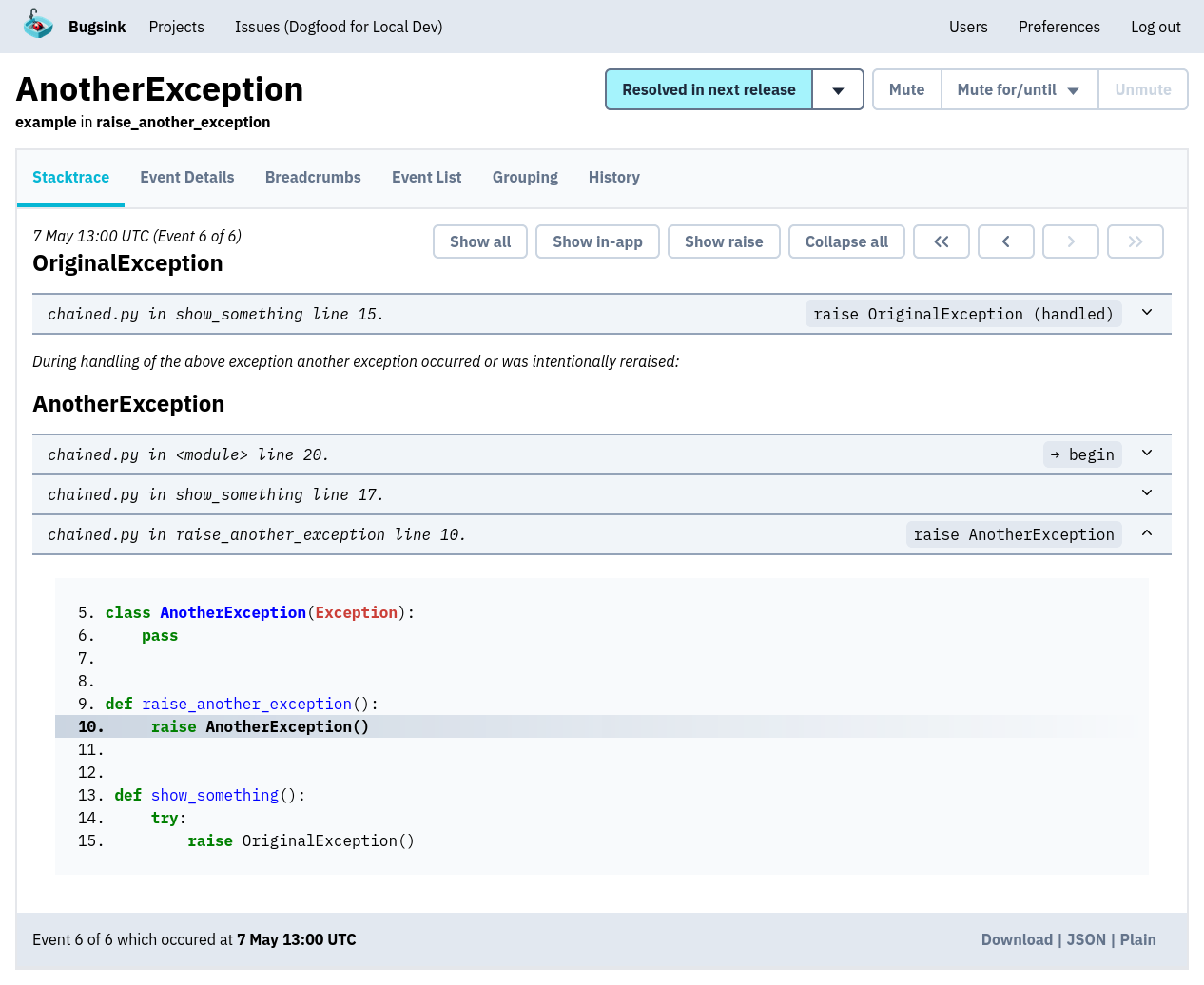
Bugsink puts the stacktrace first. The exception chain is visible in one pass, source context is open, and local variables are available beside the relevant frame. There isn’t a performance graph between you and the line that failed.
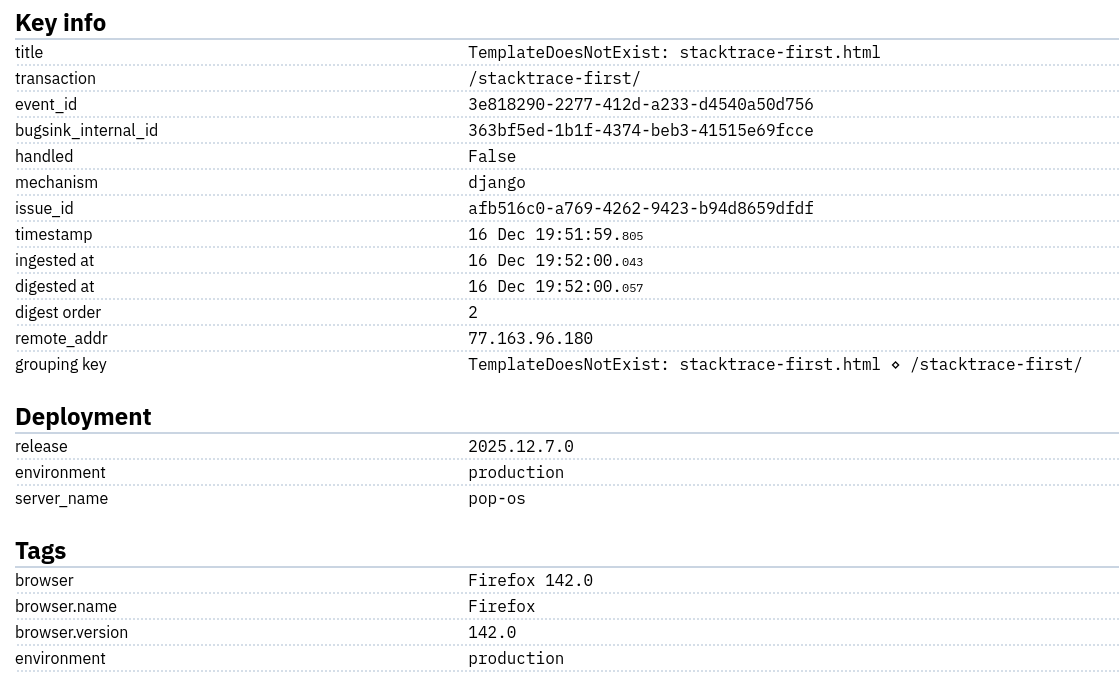
That does not mean Bugsink throws the rest of the event away. It gives that information its own place. The details view contains the environment, release, request data, tags, user, runtime, and the other context sent by the SDK.
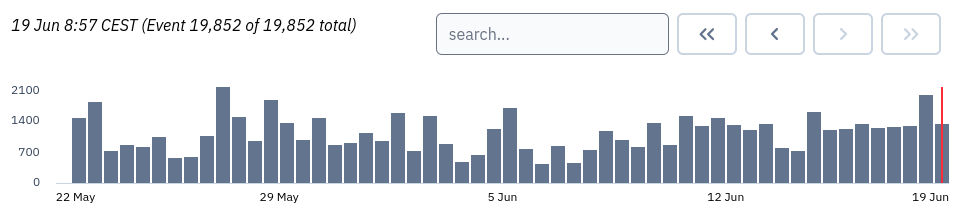
The issue page also has a 28-day sparkline. It is a small thing, but a useful one: you can see whether an exception arrived with a deployment, occurs every morning, or has quietly gone away.
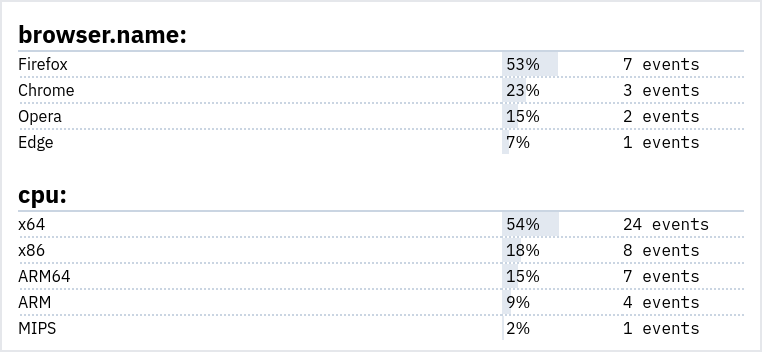
And tags are not just pills scattered around the event. Their distributions can reveal that an issue only affects one browser, release, tenant, or server.
GlitchTip
Here is the same generated exception in GlitchTip. The event data is there, but the page puts runtime metadata and exception mechanics above the trace. Source context and variables are folded into individual frames. There is even a current request for an “expand all” control, which gets at the practical difference rather well.
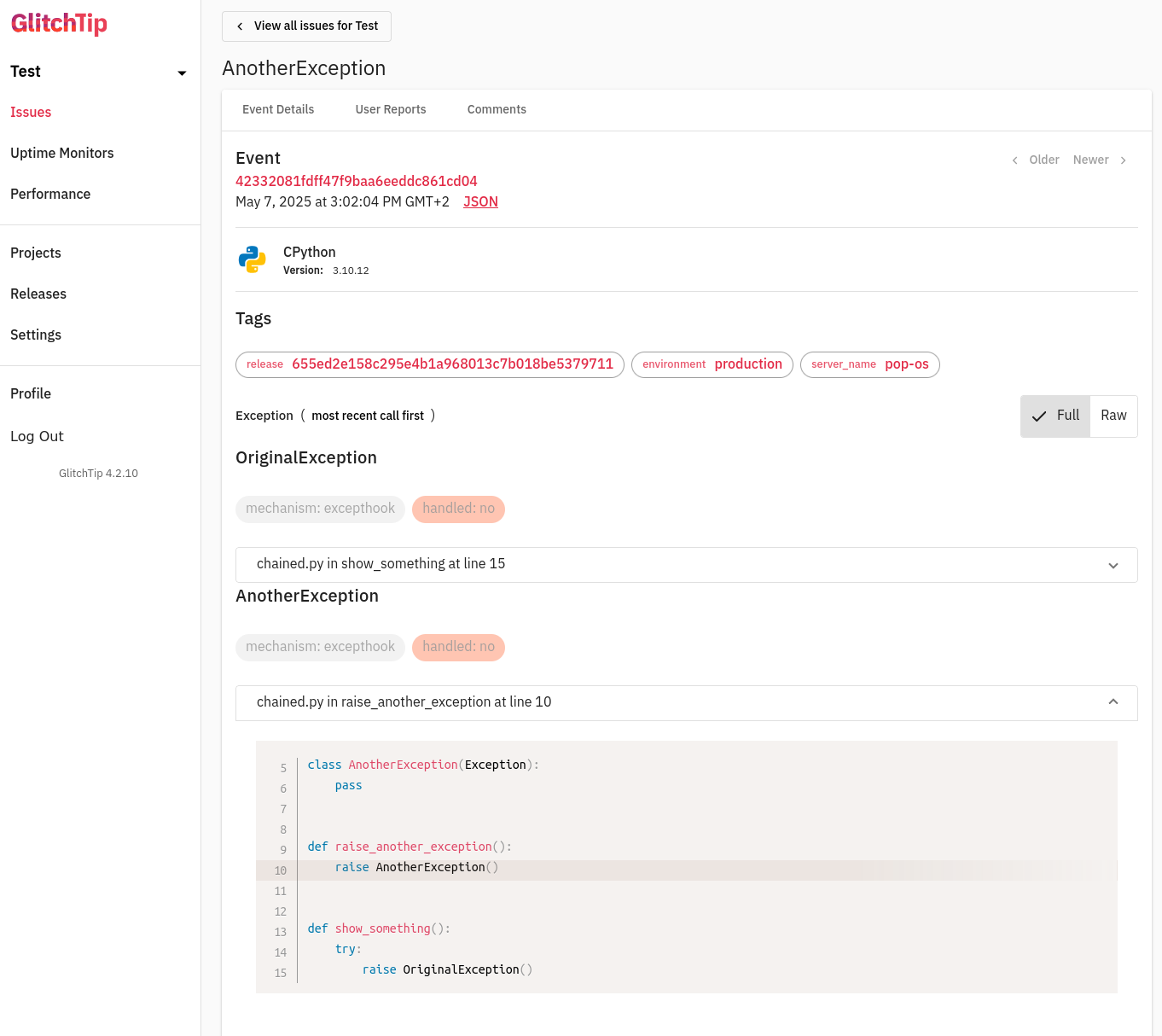
GlitchTip’s UI is substantially smaller than Sentry’s, and the essentials are all present. My objection is narrower: for the basic act of reading a traceback, it makes me unfold more things than Bugsink does.
Sentry
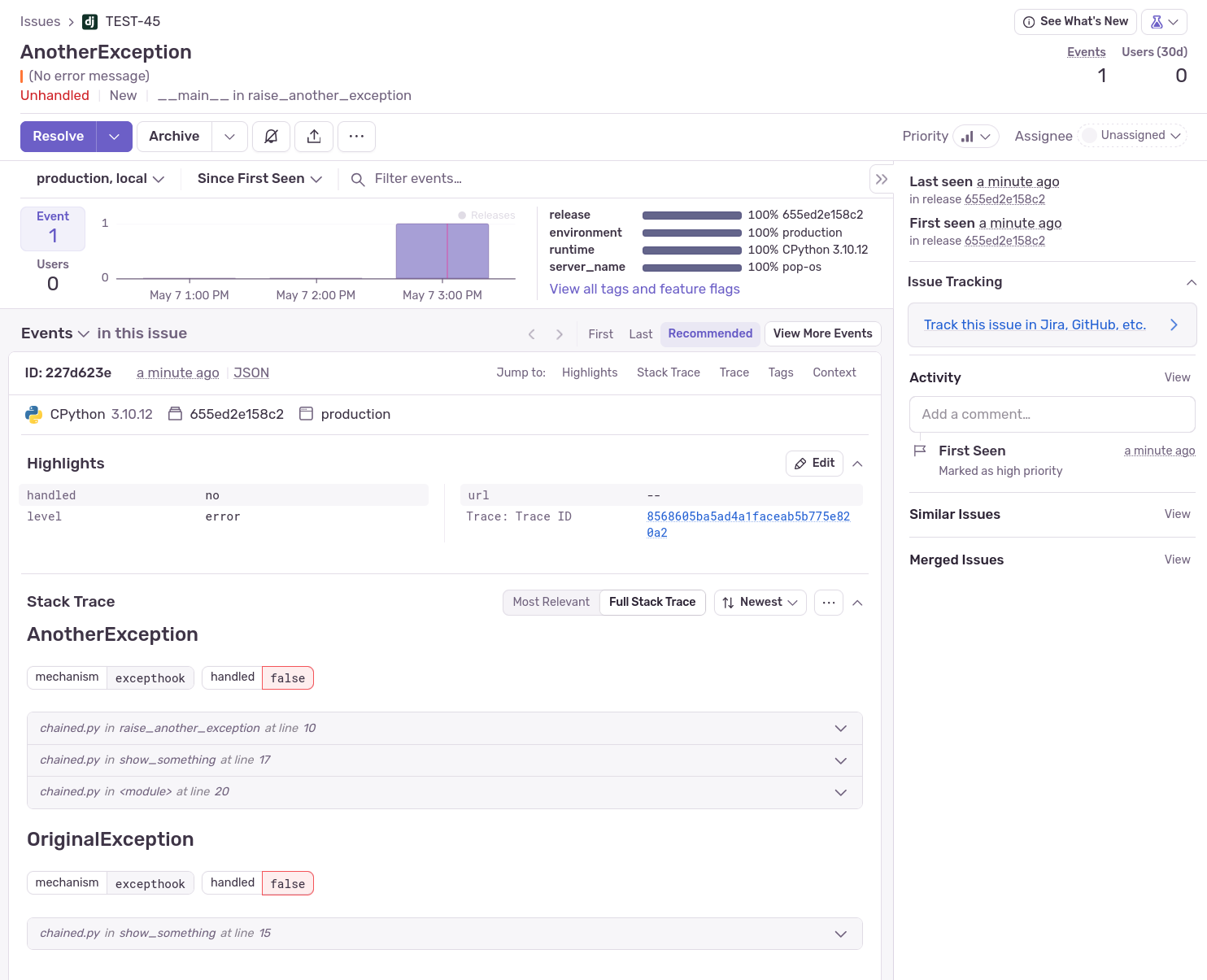
Sentry has by far the most context. It can connect an error to a trace, a replay, a release, a suspect commit, an owner, and the wider health of the application. If you use those systems together, this is Sentry at its best.
The price of that breadth is a busy issue page. Highlights, graphs, workflow controls, AI features, tabs, and metadata all compete with the exception. I don’t think Sentry forgot how to display an error. I do think it stopped treating that as the one job the page must get right before everything else.
Search and alerts
Bugsink search handles free text and structured key:value terms across issues and events. That includes exception
type, message, environment, release, arbitrary tags, and request URLs. The syntax is deliberately small and is
documented with examples.
GlitchTip uses PostgreSQL full-text search and structured filters such as tag:value. Its search is capable enough
for normal error-tracking work, although the syntax is spread between the interface, release notes, and issue tracker
rather than one complete search reference.
Sentry has the deepest search and reporting model of the three. It is especially strong when queries cross errors, traces, releases, and other Sentry data. Naturally, that also gives it the largest query language to learn.
For alerts, Bugsink follows the issue lifecycle: a new issue, a regression, or an issue crossing its mute threshold. Email preferences can be set at global, team, and project level. Project alerts can also go straight to Slack, Mattermost, Discord, Microsoft Teams, Telegram, Google Chat, or a custom JSON webhook. These integrations are included on the free hosted plan; the alerting guide has the details.
GlitchTip has per-project frequency rules for errors and uptime changes. Recipients can be team email addresses or webhooks. Sentry goes much further into ownership, escalation, metric alerts, anomaly detection, and third-party workflow integrations—useful for a larger incident-management setup, but more to configure.
Hosted pricing
At comparable paid error volumes, Sentry is the most expensive of the three at every level shown below. That is not surprising: its price buys a much broader product. It is still worth stating first, because the gap becomes large before you reach particularly exotic traffic.
Published monthly US prices in September 2026:
| Monthly errors | Bugsink | GlitchTip | Sentry Team |
|---|---|---|---|
| Free | 15K accepted 5K retained, 1 user |
1K unlimited users |
5K 1 user |
| Around 100K | 75K for $16 | 100K for $15 | 100K for about $44 |
| Around 500K | 600K for $50 | 500K for $50 | 500K for about $132 |
| 3 million | $158 | $250 | about $600 |
The Sentry estimates use its $26 annual-billing Team base, including 50K errors, followed by its published pay-as-you-go error rates. Monthly billing costs more. Bugsink and GlitchTip prices are their normal monthly prices.
These allowances are not identical products in three boxes. GlitchTip’s quota is shared by error occurrences, uptime checks, performance transactions, and release-file megabytes. It gradually throttles above the allowance and blocks at twice the quota. Bugsink’s allowance is only for errors, and its retention model can accept more occurrences than it stores in full. Sentry meters its different products separately.
Below 100K the choice is not purely arithmetic: GlitchTip’s first paid plan has the best raw allowance, while Bugsink’s free plan accepts much more traffic. From the $50 tier upward, Bugsink gives the strongest published error allowance.
Self-hosting
Bugsink is one application. It can run as one container with SQLite, or use PostgreSQL/MySQL when that better fits your setup. There is no Redis service or separate queue to operate. Rather than repeat a Docker command here, the installation page gets you running and the upgrade guide covers the equally short update path.
GlitchTip 6 requires PostgreSQL 14+ and one application service. The web and worker roles can be split when scaling; Valkey/Redis is now optional rather than mandatory. Its own installation guide recommends 512MB of RAM and enables a smaller all-in-one setup. That is a sensible, compact deployment—just not quite as self-contained as Bugsink.
GlitchTip also has more storage machinery because it stores more kinds of data. PostgreSQL is the hot store, while optional DuckDB/Parquet cold storage can move older data to a filesystem or S3-compatible storage. That is useful if you want searchable historical logs and transactions. It is also another system to understand.
Full self-hosted Sentry remains a distributed stack involving PostgreSQL, Kafka, Redis, ClickHouse, Snuba, Symbolicator, Relay, and more. Sentry’s own repository describes it as intended for “low-volume deployments and proofs-of-concept”. I tried running it anyway; the longer version of why I stopped is here.
Scale and retention
Bugsink has a deliberately boring scale story. A benchmark on a 2-vCPU, 4GB, €5/month VPS sustained 1.5 million events per day. There is no external ingestion queue in that setup. Smart retention keeps complete events while volume is normal, then keeps representative samples while preserving issue counts and grouping when traffic spikes. A noisy exception should not be allowed to fill the disk while everyone is asleep.
GlitchTip gives a rough planning figure of 30GB of disk for one million events per month, exposes retention controls, and documents cold storage. Valkey and split workers are available for larger installations. What it does not publish is an equivalent small-machine throughput benchmark, so a prospective operator still has to establish the limits for their own mix of errors, traces, and logs.
Sentry SaaS operates at an entirely different scale. Self-hosted Sentry can also process serious volume, but then the Kafka/ClickHouse-style operational model is part of the deal. That can be appropriate for an observability team; it is not what I want to maintain in order to collect exceptions.
SDKs, source maps, and native crashes
All three use the Sentry SDK ecosystem, so Python, JavaScript, Java, PHP, Ruby, Go, .NET, mobile, and many other platforms can report errors without a Bugsink- or GlitchTip-specific SDK.
Bugsink supports debug-ID source-map uploads through sentry-cli. Its native support has also moved beyond merely
accepting a JSON event: Bugsink can ingest minidumps, accept debug-information files, and symbolicate native frames.
The minidump path is still marked early-stage, so I would test it against the exact SDK and build pipeline before making
it a hard requirement.
GlitchTip 6 supports source maps, minidump ingestion, and native debug symbols too, including dSYM, PDB, and ELF uploads through its CLI. Sentry remains the most mature choice for a large or unusual native-crash pipeline.
What sits beside error tracking?
Here the products are not aiming at the same target.
GlitchTip has transaction and span views, uptime monitors, structured logs, release tracking, and an optional MCP server. GlitchTip 6.2 added spans to transaction details and OpenTelemetry log ingestion. It is becoming a small observability suite, not just an error tracker.
Sentry is the much larger version of that idea: tracing, replay, logs, profiling, application metrics, dashboards, uptime and cron monitoring, release health, and Seer. Its cross-linking between those features is a genuine advantage.
Bugsink is an error tracker. It does not collect traces, replays, performance transactions, or uptime checks. This is a product boundary, not a backlog disguised as one. I would rather keep making the error-tracking path faster, clearer, and easier to operate.
Europe
All three can keep hosted error data in Europe, but “European” can mean more than the disk location.
| Question | Bugsink | GlitchTip | Sentry |
|---|---|---|---|
| EU-hosted service | Yes | Yes, Germany | Yes, EU region |
| European supplier | Yes, Netherlands | No, United States | No, United States |
| Self-host in the EU | Yes | Yes | Yes |
Hosted Bugsink is supplied by Bugsink B.V. in the Netherlands, with application and email providers in Europe. GlitchTip’s EU instance stores data in Frankfurt but is supplied by Burke Software LLC in the US. Sentry offers an EU data region while remaining a US company. If that legal and supplier distinction matters to you, the European Sentry alternatives comparison goes into it properly.
Licenses and documentation
GlitchTip is MIT licensed. If an OSI-approved permissive license is a hard requirement, this is the uncomplicated choice.
Bugsink uses the Polyform Shield License. You can run it, inspect it, modify it, and contribute to it; the license restricts using it to provide a competing product or service. Sentry uses the Functional Source License for its self-hosted source, with restrictions of its own.
GlitchTip has feature guides for errors, performance, uptime, logs, integrations, its CLI, and self-hosting. Sentry’s documentation is the most extensive, although finding the page for one particular workflow can take some navigation. Bugsink’s docs stay close to the product: installation, configuration, upgrades, SDK setup, alerts, search, source maps, and the API.
Which one would I choose?
I built Bugsink, so this is not a neutral lab report. I have also run GlitchTip in production, filed issues against it, and contributed code. That experience is part of why Bugsink looks the way it does.
For error tracking, I would choose Bugsink. The error is easier to read, the hosted plans remain economical as volume grows, and the self-hosted version is a small application rather than an infrastructure project. It keeps the parts I valued in the older Sentry experience and resists turning them into one tab in a much larger product.
There are two clear exceptions. If you need an OSI-approved permissive license, choose GlitchTip. If what you actually want is the full APM package—traces, replays, profiling, dashboards, and the connections between them—hosted Sentry is the most complete choice here. Those are different requirements. For the person who came looking for an Error Tracker, Bugsink is the one I made for you.
For the closer two-way versions, see Bugsink vs. Sentry and Bugsink vs. GlitchTip.