
Telegram alerts
Bugsink sends alerts through a Telegram bot to a private chat, group, channel, or group topic.
Create a bot and find the destination
- Open @BotFather, run
/newbot, and follow the prompts. - Copy the bot token and keep it secret. Anyone with the token can control the bot.
- Add the bot to the destination group. For a channel, make the bot an administrator so it can post. For a private chat, send the bot a message.
- Determine the destination’s numeric chat ID, or use a public channel username such as
@errors.
For a private chat or group, send the bot a message and inspect the message.chat.id returned by
https://api.telegram.org/bot<YOUR_BOT_TOKEN>/getUpdates. Telegram’s
bot tutorial covers bot creation, and the
Bot API documents getUpdates.
Add the bot to Bugsink
- Open Projects and select the project’s megaphone icon (Alerting Settings).
- Select Add, enter a display name, and choose Telegram.
- Enter the bot token and the numeric chat ID or
@channelusername. - For a group with topics enabled, optionally enter its numeric topic ID.
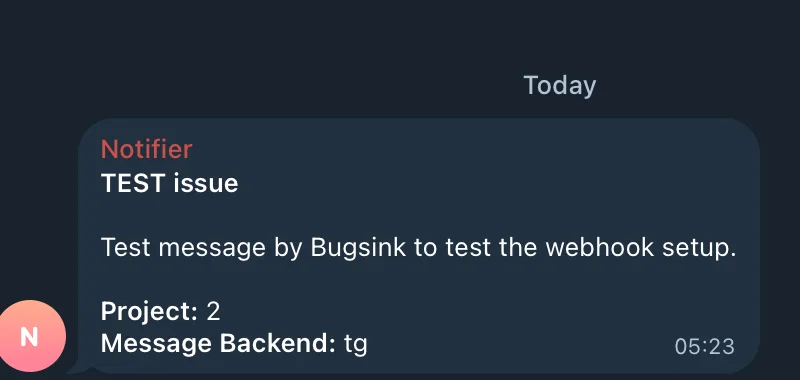
- Save the service, select Test, and check Telegram.
A topic ID can only be combined with a numeric chat ID. The Bot API calls this value message_thread_id; it is present
on messages sent inside a topic.
See the alerts overview for alert conditions, multiple destinations, and delivery-failure reporting.