
Bugsink vs. GlitchTip

If you’re running your software in production you should probably have an Error Tracker in place. If you’re reading this article you’re likely trying to choose between Bugsink and GlitchTip.
These two products are somewhat similar: both are Sentry-SDK compatible, both can be self-hosted or used as a hosted service. Beyond that, they’re actually quite different. This article will help you choose.
Origins and Philosophy
Bugsink grew out of frustration with Sentry’s practical self-hosting experience in 2023. As such, its original main design goal was a laser-focus on being easy to self-host (even at scale). (I even ran GlitchTip for a while, but in terms of being low maintenance it wasn’t quite there for me).
Having said that: Self-hosting remains a key pillar of Bugsink’s story, but the hosted offering has since become a major part of the project as well.
Another key design principle is to actually put Errors centrally in our UX, something we call Stacktrace first. This may sound obvious, but many competing products actually try to cram in as many other features as possible, which can make it harder to actually find the information you need when debugging. Bugsink was meant to stay away from that (and has done so ‘till this day).
GlitchTip was created in 2020, in a direct response to Sentry preplacing its open source license with something called the BSL. Being fully Open Source was and is one of the main drivers behind the project.
The main UI
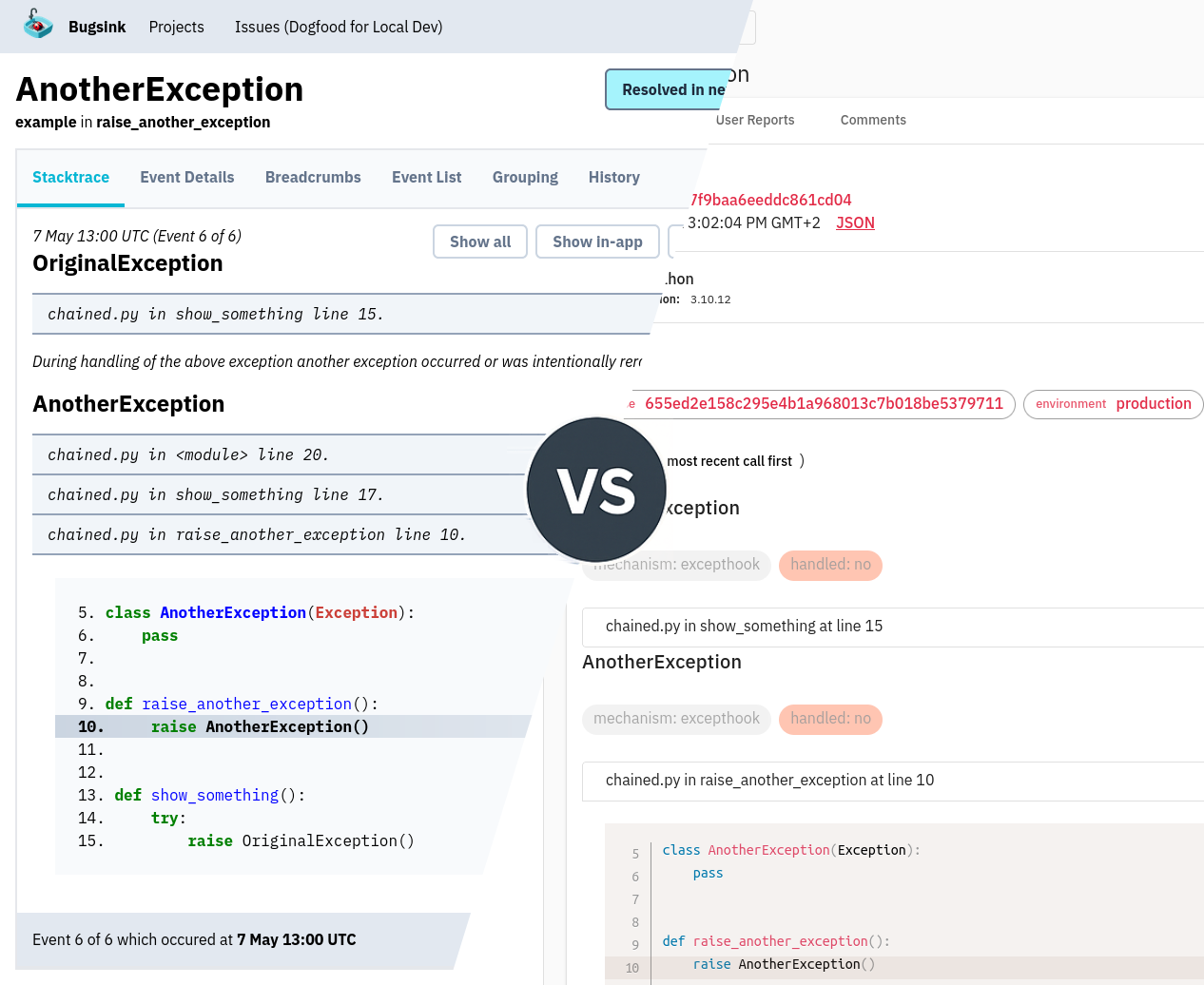
The main reason to have an Error Tracker is to have a place where you can actually look at errors. Here’s how that looks like in both Bugsink and GlitchTip:
Bugsink
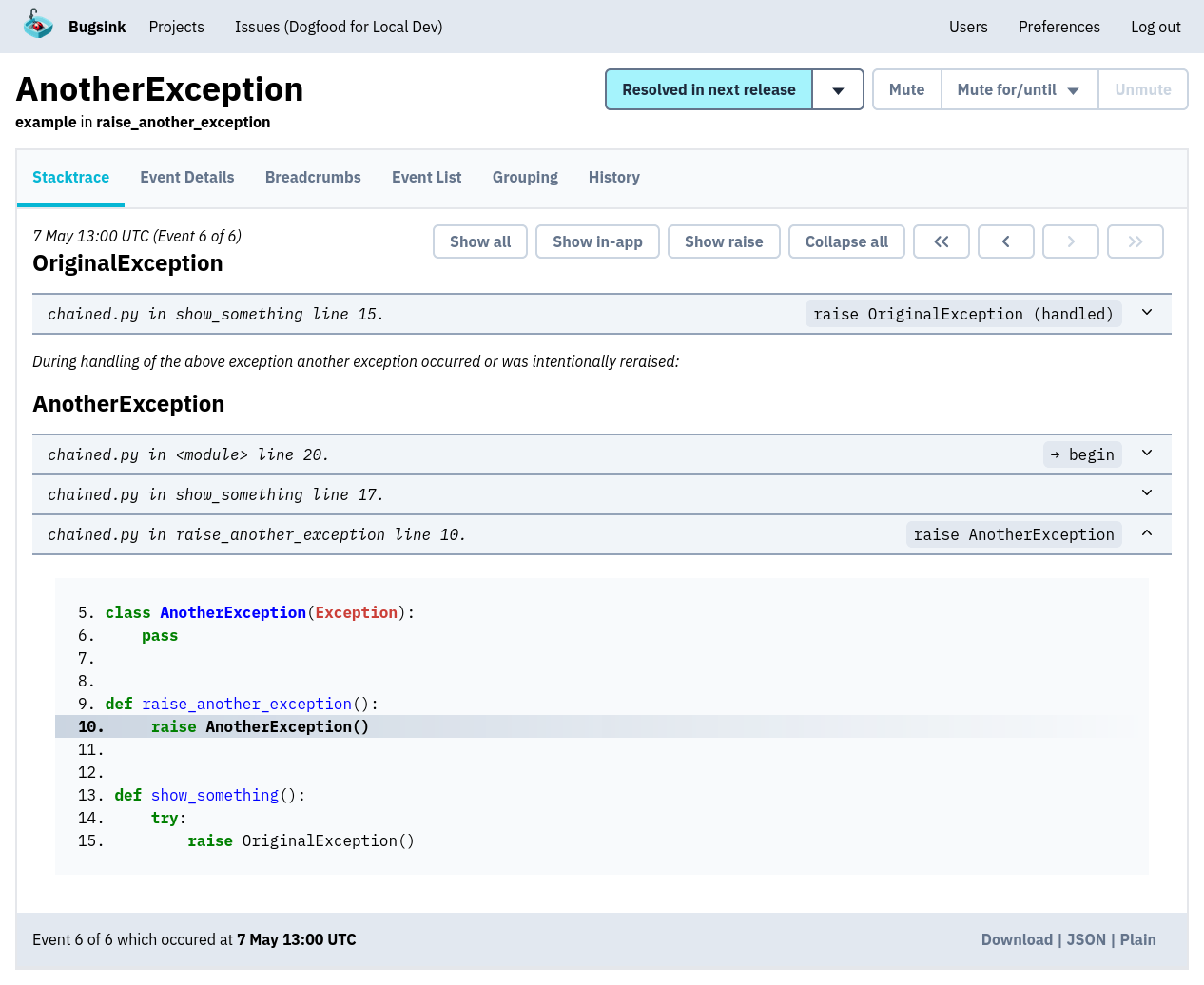
At Bugsink, we believe the Stacktrace is the core of the debugging experience. Getting a clear overview of what went wrong starts here: with as much context as possible, organized in a way that highlights the most important information first. The stacktrace is front-and-center, with metadata and other information available but not overwhelming the main view.
GlitchTip
Here’s what the same error looks like in GlitchTip:
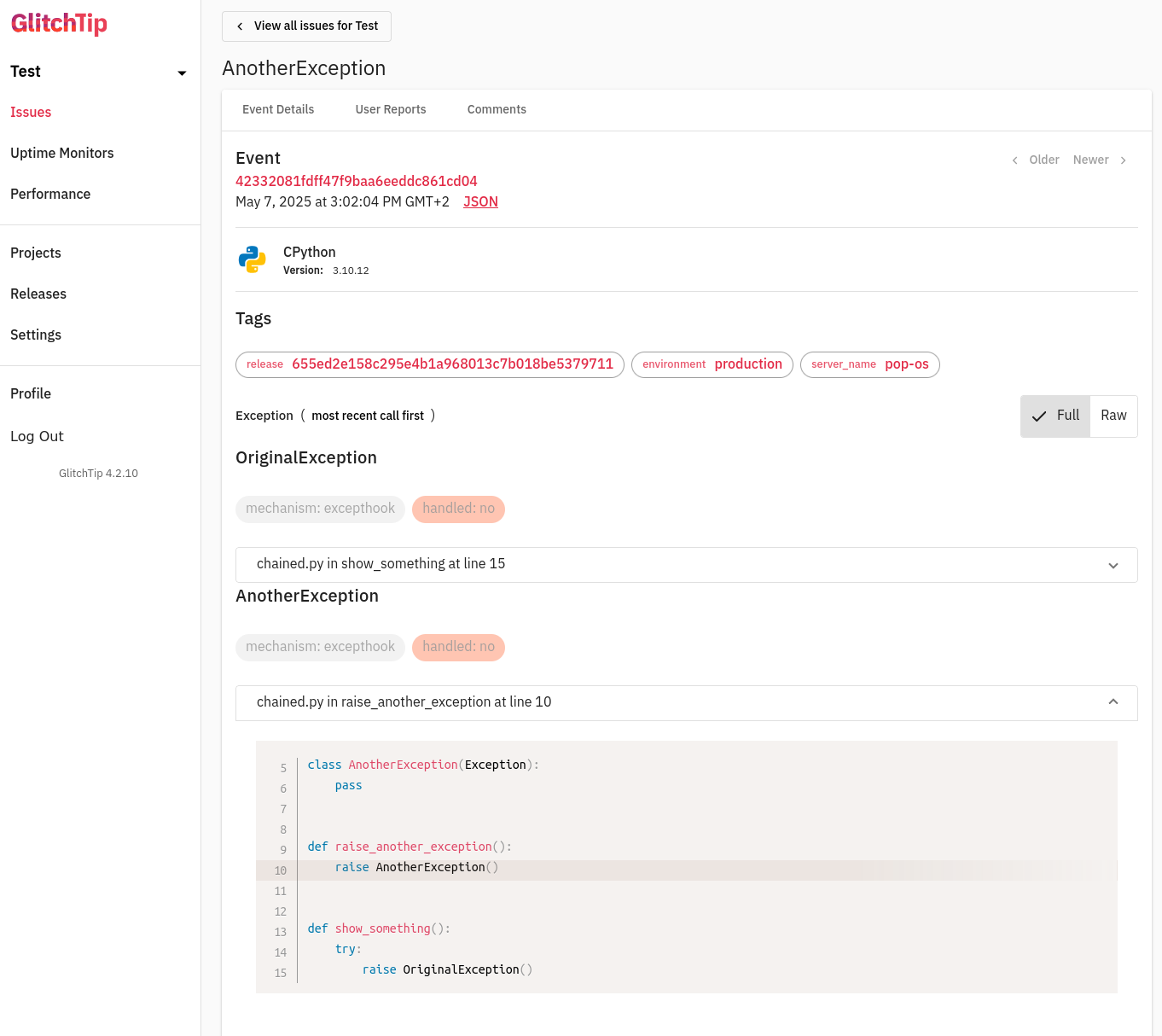
GlitchTip presents the same exception in a more layered interface. Metadata like runtime version, environment tags, and exception mechanisms appear above the stacktrace. Source lines are hidden by default, and much of the visible space is taken up by surrounding UI elements that aren’t directly part of the stacktrace. The result is a layout where the core debugging information is available, but not immediately prominent.
Bugsink: Error Details
Putting the Stacktrace first implies: there’s another location, where the rest of the information Bugsink collects about errors is presented.
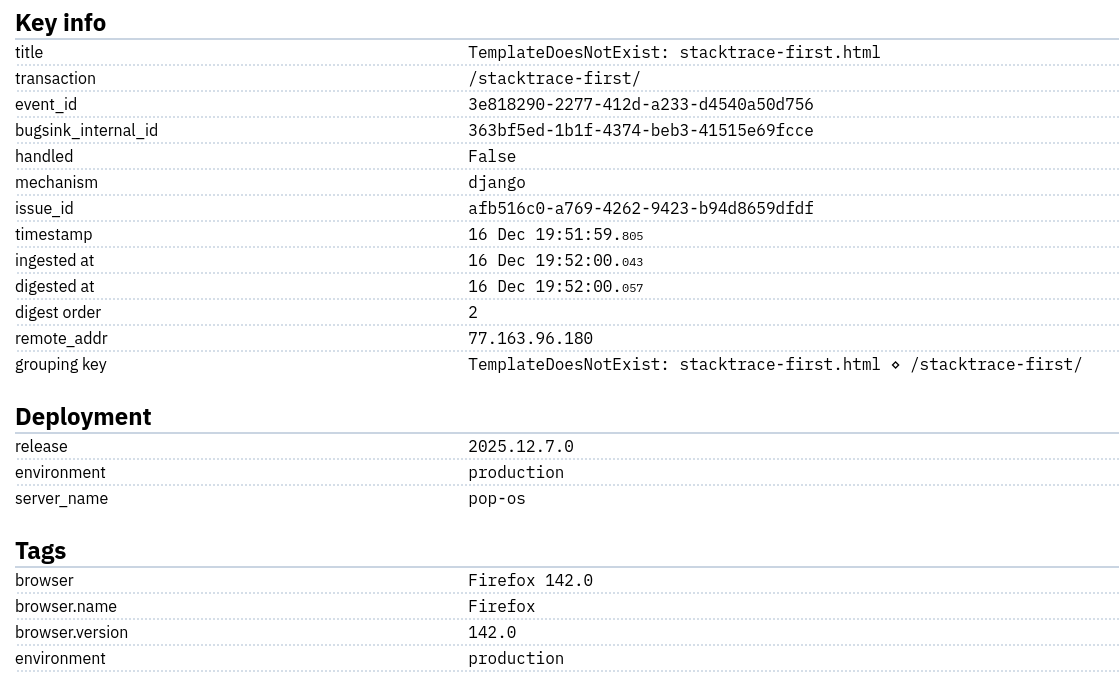
The detail tab for an event contains a whole lot of information: when the error occurred, the release and environment in which it happened, any tags that may have been set, etc. The table looks like this:
Bugsink: Sparklines
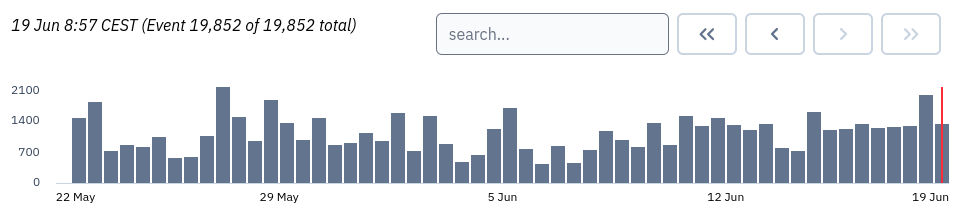
A key bit of information about an event is how it occurs over time. Bugsink includes a small sparkline chart that shows the number of events over the last 28 days. This is useful for spotting patterns: when an error first appeared, whether there may have been a particular moment it started happening more frequently, and whether it has since subsided. The chart is interactive: hovering over a point shows the numbers, and clicking it brings you to the an event corresponding to the moment in time.
Bugsink: Tags
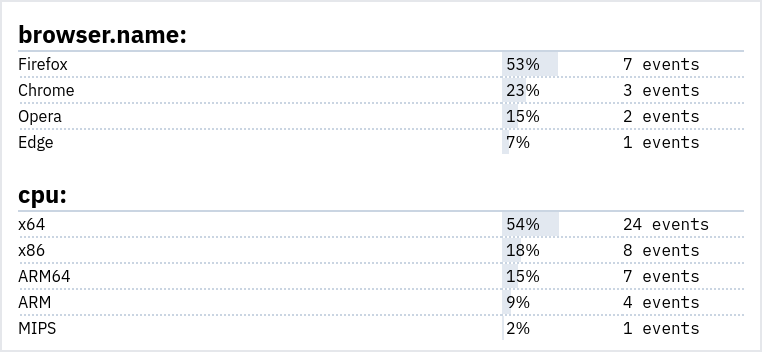
Each event that reaches Bugsink can carry any number of tags on it. These tags, in aggregate, often form important clues on what may be causing any particular issue. The UI of the tag breakdown looks like this:
Search
Bugsink includes a fast, tag-based search system that lets you filter by message content, exception type, and any
attached metadata, like environment, release, browser, or OS. Queries use a simple key-value syntax
(environment:production). For details, see
the blog-post on Search.
GlitchTip supports basic tag filtering using tag:value, as noted in an early
release note. Beyond that, its search capabilities are unclear.
There’s no comprehensive documentation, and it’s hard to tell what kinds of queries are actually supported.
Alerting
Bugsink comes with extensive alerting capabilities out of the box.
Alerts can be sent via email (with users being able to set their own preferences on project/team/global levels). There’s also support for many kinds of chat-based alerting:
Bugsink’s chat integrations are enabled from the free hosted plan and up (i.e. they’re always enabled). The alerting documentation covers the details.
GlitchTip uses per-project alert rules based on event frequency. A rule can notify the project’s team members by email or send a webhook, and rules can cover error events or uptime-monitor changes. That gives GlitchTip threshold-based alerting and uptime notifications, while Bugsink has more direct chat integrations and ties notifications to the issue lifecycle.
Hosted Offerings
The hosted versions remove the operational difference described above: in both cases, the vendor runs the servers, applies upgrades, and handles storage. You point a Sentry SDK at a hosted DSN and use the product.
The products remain different. Hosted GlitchTip combines error tracking with performance, uptime, and logs. Hosted Bugsink provides the same error-focused product as self-hosted Bugsink. That distinction matters at least as much as the price.
The published monthly US prices as of September 2026 are:
| Monthly volume | Bugsink | GlitchTip |
|---|---|---|
| Free | 15K events, 1 user 5K retained |
1K events unlimited users |
| First paid tier | 75K for $16 | 100K for $15 |
| Around 500K | 600K for $50 | 500K for $50 |
| 3 million | $158 | $250 |
| 15 million | $568 | No public plan |
| 50 million | $1,288 | No public plan |
| Above 50 million | Available on request | No public plan |
Measured by monthly event allowance per dollar, Bugsink wins at every published comparison except the first paid tier. GlitchTip offers 100K events for $15 where Bugsink offers 75K for $16. GlitchTip also allows unlimited users on its free plan, while Bugsink’s free plan is limited to one user; Bugsink’s free plan, however, accepts 15 times as many monthly events.
From the $50 tier onward, Bugsink offers more events for the same or a lower price, and the difference grows with volume. GlitchTip may arrange larger custom plans, but its public pricing page stops at 3 million events. Bugsink publishes plans through 50 million and supports still higher volumes on request.
Both compare favorably with Sentry on price. At 3 million monthly error events, both public plans cost less than the corresponding Sentry Team usage. At 50 million events, Sentry is approximately $6,441/month, while Bugsink is $1,288/month: almost exactly 80% less. The calculation and assumptions are set out in Hosted Pricing Just Got Cheaper.
The quotas are not directly equivalent. GlitchTip counts error occurrences, uptime checks, performance transactions, and release-file storage against one event allowance. That buys a broader product, but those other signals compete with errors for the quota. Bugsink only handles error events, so its allowance is used entirely for error tracking.
GlitchTip progressively throttles incoming events above the plan allowance and stops accepting them at twice the quota. Bugsink uses its retention model to preserve representative error events and their aggregate counts as volume grows. GlitchTip’s paid plans include support; paid Bugsink plans and every GlitchTip plan allow unlimited users.
Self-hosting: Installation
Bugsink has deliberately been designed from the ground up to be trivial to self-host. It’s a single Django app, do be deployed as a single Docker container. If you want to stick to single-container, you can even use the integrated SQLite database. (If you prefer, you can also use MySQL or PostgreSQL.)
The simplest install is a single
Docker command, and takes under a minute, but other
 options are available if you need them.
docker pull bugsink/bugsink:latest docker run \ -e SECRET_KEY=3026hra9n1KRqOCKNRPVUqIJ2gLusZQz3kdAcvh147CLcYdWOf \ -e CREATE_SUPERUSER=admin@example.org:admin \ -e PORT=8000 \ -p 8000:8000 \ bugsink/bugsink
Upgrades are equally simple: just apply migrations and restart.
GlitchTip installation
GlitchTip splits its frontend and backend into separate codebases, which makes it more complex to deploy. It also simply requires more components to run, including:
- Frontend and backend code (separate codebases, single container)
- PostgreSQL
- Redis
- Celery as a background worker
Deploying GlitchTip means understanding how these components fit together, and keeping them in sync. Even after setup, staying up-to-date means tracking multiple versions and occasionally rebuilding the frontend. The migration-path is typically slightly more involved than “just run the migrations” as well.
Nevertheless, deploying GlitchTip is still at least an order of magnitude simpler than Sentry.
Performance Monitoring and Uptime
GlitchTip supports basic performance and uptime tracking. You can send transactions and spans using Sentry SDKs, and set up heartbeat monitors for uptime. The tracing interface is still relatively small, but it is under active development: GlitchTip 6.2 added span tracking to its transaction detail page.
Bugsink deliberately doesn’t support performance or uptime features. It’s a focused error tracker, not an APM.
Self-hosting: Scalability
Bugsink was designed with the explicit goal of staying stable under high event-volume, without itself becoming a maintenance burden. As a result, it can easilty handle 1.5 million events per day on a €5 VPS.
This low-maintenance approach has been extended to the storage-side: to avoid disks filling up when you’re not looking, it includes smart retention: full event data is kept until volume gets high, after which representative samples are retained. Grouping and summaries stay accurate, and no separate queues or cleanup jobs are required.
GlitchTip probably works well at moderate scale, but its behavior under sustained heavy load is largely undocumented. It does have server-side throttling, but there are no comparable resource-use benchmarks or detailed guidelines on what to monitor as load increases. If you’re self-hosting and growth is expected, this leaves you to establish those limits yourself.
European Data Residency
For a hosted service, “European” can describe three different things: where the data is stored, where the vendor is established, and whether you can run the software on European infrastructure yourself. Bugsink and GlitchTip both cover the first and third points. Only Bugsink covers all three.
| European requirement | Bugsink | GlitchTip |
|---|---|---|
| Hosted data in the EU | Yes | Yes, on its Frankfurt instance |
| European vendor | Bugsink B.V., Netherlands | Burke Software LLC, United States |
| Can be self-hosted in the EU | Yes | Yes |
GlitchTip’s EU service is a real EU data-residency option. Its hosted architecture documentation says that the instance runs in Frankfurt and that its error events, user accounts, and transactional email stay in the EU. GlitchTip is nevertheless supplied by Burke Software and Consulting LLC, a company incorporated in New York, and uses DigitalOcean and Cloudflare in its EU hosting stack.
Hosted Bugsink is supplied by Bugsink B.V. in the Netherlands. Its DPA states that all hosted personal data is stored and processed in the EU. Hetzner handles the application infrastructure and Scaleway handles transactional email; Stripe receives billing information but no error events, logs, or application data.
That distinction has practical consequences. GlitchTip is supplied by an American company and also uses American infrastructure providers. Under the US CLOUD Act, providers subject to US jurisdiction can be required to produce customer data in their possession, custody, or control even when that data is stored outside the United States. Hosting in Frankfurt provides EU data residency, but does not by itself remove that US legal reach.
Hosted Bugsink’s Dutch supplier and European application and email providers avoid that US-provider layer for error data. If the requirement is simply “keep our error data in the EU,” both products have an answer. If the requirement is “use a European error-tracking vendor and keep the application data in the EU,” Bugsink is the clear fit. The longer European Sentry alternative explains the distinction further.
Licensing and Documentation
Bugsink is source-available under the Polyform Shield License. You can run it in production, modify it, and contribute code. The only restriction is that you can’t offer it as a competing service.
GlitchTip uses the permissive MIT license, allowing full modification, hosting, and redistribution.
Documentation
Bugsink includes full documentation: installation, configuration, debugging workflows, API docs, the works.
GlitchTip provides basic setup and deployment instructions; the rest is more or less implied on the blog / release notes.
Final Thoughts
This comparison is written by the creator of Bugsink. So yes, it’s biased. Then again, I’ve run GlitchTip in production: filed issues, and even committed to its codebase. That experience shaped how Bugsink was built.
The main takeaway is that Bugsink is designed to be a low-maintenance, high-performance error tracker. It’s easy to self-host (if you want to), and it’s designed to stay out of your way when you’re debugging. If that’s what you’re after, try Bugsink.